📋 Table of Contents
WhatsApp Business API vs WhatsApp Business App: Which Platform Should Your Business Choose?
With over 2 billion active users globally, WhatsApp is undeniably the most powerful communication channel available to businesses today. However, choosing the right tool to connect with your customers is critical. Are you struggling to decide between the WhatsApp Business App and the WhatsApp Business API? In this comprehensive, deep-dive guide, we will break down everything you need to know—features, pricing, limitations, and ideal use cases—so you can make an informed decision that drives growth for your brand.

1. The Evolution of Business Messaging: Why WhatsApp?
The era of relying solely on emails and cold calls is fading. Modern consumers expect real-time, conversational experiences. They want to message businesses just like they message their friends and family. WhatsApp has stepped up to fill this gap, offering unprecedented open rates (often exceeding 90%) and engagement levels that traditional channels simply cannot match.
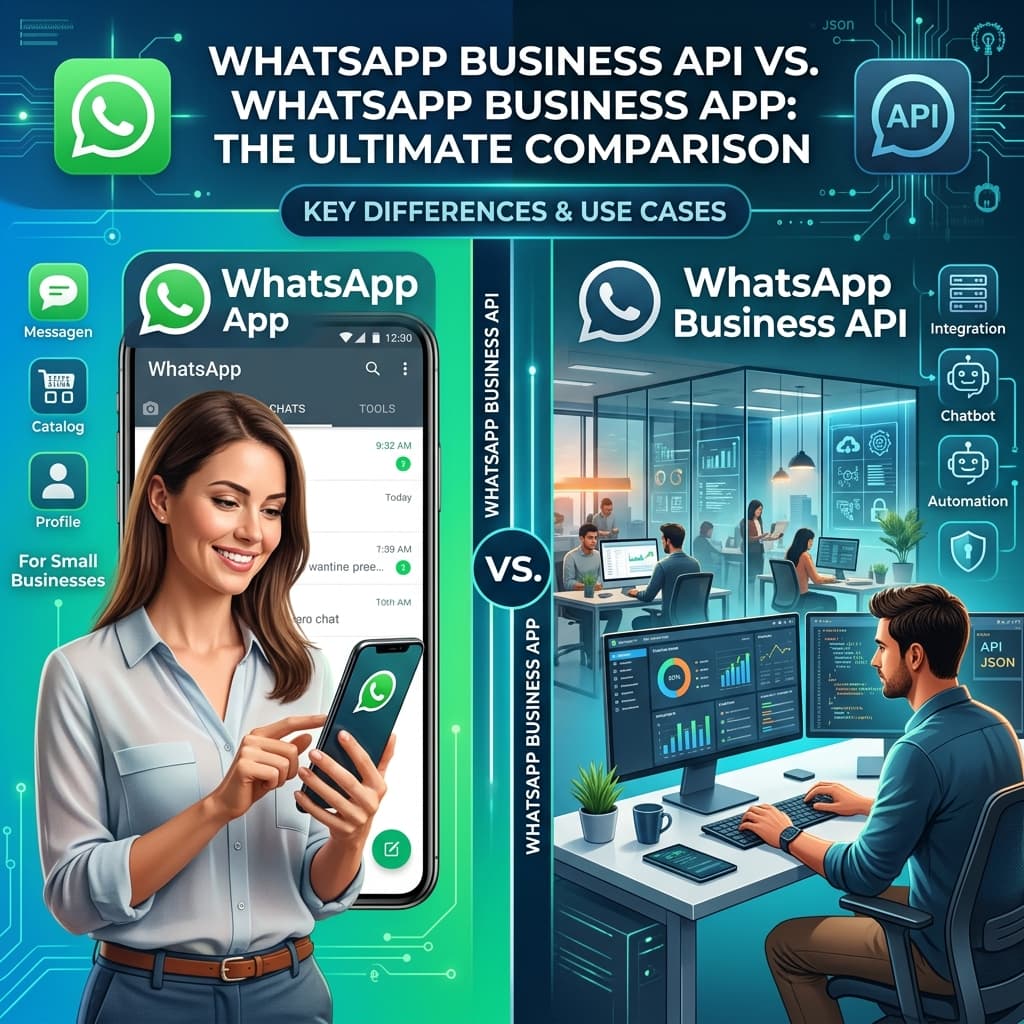
Recognizing the diverse needs of different companies, Meta (formerly Facebook) introduced two distinct solutions: the WhatsApp Business App, tailored for micro and small businesses, and the WhatsApp Business API, designed for medium to large enterprises that require scalability, automation, and advanced integrations. Understanding the fundamental differences between these two platforms is the first step toward building a successful conversational commerce strategy.
2. What is the WhatsApp Business App?
The WhatsApp Business App is a free-to-download application available on Android and iOS. It was created specifically with the small business owner in mind. If you are a solo entrepreneur, a local shop owner, or a small team managing a low volume of daily customer queries, this app provides a simple and effective way to separate your personal messages from your business communications.
Key Features of the WhatsApp Business App
- Business Profile: Create a professional presence by adding essential information such as your company address, website URL, email address, and a brief description of your services.
- Product Catalog: Showcase your products or services directly within the app. Customers can browse your offerings, view prices, and inquire about specific items without ever leaving the chat interface.
- Quick Replies: Save time by creating keyboard shortcuts for frequently asked questions. For example, typing "/hours" could instantly populate a message with your store's opening times.
- Automated Messages: Set up basic automation, such as a "Greeting Message" to welcome new customers or an "Away Message" to let them know when you will be back online outside of business hours.
- Labels: Organize your chats and contacts visually using custom color-coded labels (e.g., "New Customer," "Pending Payment," "Order Complete").
Limitations of the WhatsApp Business App
While the app is incredibly useful for small operations, its limitations become apparent as your business scales:
- Single User Access: Primarily designed for one user on a single smartphone. While you can link up to four companion devices (like WhatsApp Web), they all rely on the same phone number, and true multi-agent collaboration with assigned tickets is impossible.
- Lack of Automation: Beyond basic greeting and away messages, you cannot build complex chatbots or automate complex workflows (like checking order status via a backend database).
- No CRM Integration: You cannot seamlessly integrate the app with tools like Salesforce, HubSpot, or custom enterprise software.
- Broadcast Limitations: You can only send broadcast messages to up to 256 contacts at a time, and crucially, they must have your phone number saved in their address book to receive the message.
3. What is the WhatsApp Business API?
The WhatsApp Business API (now often referred to as the WhatsApp Business Platform) is an advanced interface that allows medium and large businesses to communicate with customers at scale. Unlike the app, the API doesn't have a front-end user interface (like an app you download on your phone). Instead, it connects directly to your company's existing tech stack—such as a CRM, a shared inbox, or a customer support platform—or requires a third-party Business Solution Provider (BSP) to provide the dashboard.
Key Features of the WhatsApp Business API
- Unlimited Multi-Agent Access: Connect your WhatsApp number to a shared team inbox, allowing dozens or even hundreds of customer support agents to handle conversations simultaneously.
- Advanced Chatbots and Automation: Build intelligent, AI-driven chatbots that can handle complex queries, process transactions, qualify leads, and provide 24/7 support without human intervention.
- Massive Broadcasts and Bulk Messaging: Send targeted, personalized promotional messages, alerts, and updates to thousands or millions of users—even if they haven't saved your number in their contacts. (Subject to Meta's tier limits and quality ratings).
- Seamless Software Integrations: API access means you can connect WhatsApp directly to your CRM, ERP, e-commerce platform (like Shopify), or helpdesk software (like Zendesk or Freshdesk).
- Interactive Messages: Use advanced message formats such as List Messages, Reply Buttons, and Product Messages to create a richer, more interactive user experience.
- Green Tick Verification: Eligible businesses can apply for the coveted "Green Tick" official business account badge, adding a layer of trust and authenticity to your brand profile.
4. WhatsApp Business API vs App: A Detailed Head-to-Head Comparison
To help you visualize the differences, here is a comprehensive breakdown of how the two platforms compare across critical business functions:
| Feature / Capability | WhatsApp Business App | WhatsApp Business API |
|---|---|---|
| Target Audience | Micro & Small Businesses | Medium & Large Enterprises |
| Cost | Free | Conversation-based pricing + BSP fees |
| Multi-User Support | Limited (1 phone + up to 4 linked devices) | Unlimited agents via a shared inbox |
| Automation & Chatbots | Basic (Greeting & Away messages) | Advanced AI chatbots, custom workflows |
| Broadcast Limit | 256 contacts (must have your number saved) | 1k, 10k, 100k, or unlimited (tier-based) |
| CRM Integration | No | Yes (HubSpot, Salesforce, Zoho, etc.) |
| Interactive Buttons | No | Yes (Quick replies, lists, call-to-action) |
| Green Tick Verification | No | Yes (Subject to Meta approval) |
5. Understanding the Pricing Models
Pricing is often the deciding factor for businesses. Here is how the costs break down:
WhatsApp Business App Pricing
It is completely free to download and use. There are no limits on the number of messages you can send individually, making it a highly cost-effective solution for small businesses operating on a tight budget.
WhatsApp Business API Pricing
The API employs a more complex, pay-as-you-go pricing structure based on conversations rather than individual messages. A conversation is a 24-hour window that begins when the first message is delivered. Meta divides conversations into four distinct categories:
- Marketing: Promotional offers, product announcements, and newsletters. These generally carry the highest cost.
- Utility: Specific, agreed-upon updates like post-purchase notifications, order tracking, and billing statements.
- Authentication: One-time passcodes (OTPs) used for account recovery or secure login.
- Service (User-Initiated): Conversations initiated by a customer seeking help or support. The business has a 24-hour window to respond. Historically, the first 1,000 service conversations per month were free, though Meta frequently updates these policies.
Note: In addition to Meta's conversation charges, you will typically pay a monthly subscription or markup fee to your chosen Business Solution Provider (BSP) or inbox software provider.
6. Industry Use Cases and Examples
How do these platforms perform in the real world? Let's look at a few examples:
Scenario A: The Local Bakery (App)
Sarah runs a boutique bakery. She receives about 15-20 inquiries a day regarding custom cake orders. She uses the WhatsApp Business App. Her "Catalog" features her best-selling cakes. She uses "Quick Replies" for pricing details and "Labels" to track orders that are "To be baked" vs. "Ready for pickup." The free app perfectly meets her needs without overwhelming her with unnecessary features.
Scenario B: The E-commerce Giant (API)
A rapidly growing online clothing retailer handles 5,000+ support tickets daily and wants to send abandoned cart recovery messages. They choose the WhatsApp Business API. They integrate it with their Shopify store to automatically send order confirmations and shipping updates (Utility messages). They deploy a chatbot to handle 70% of routine queries like "Where is my order?" and smoothly route complex issues to a team of 30 live agents working out of a shared Zendesk inbox.
Scenario C: The Travel Agency (API)
A travel agency uses the API to send automated boarding passes and flight delay notifications. They also utilize interactive list messages allowing customers to select their preferred seat or meal options directly within the WhatsApp chat interface, vastly improving the customer experience compared to clunky email links.
7. Common Mistakes to Avoid
- Upgrading to the API Too Early: Don't invest in the API if you only handle a handful of messages a day. Exhaust the capabilities of the free app first.
- Ignoring the 24-Hour Rule: On the API, you must reply to a customer within 24 hours. If you miss this window, you can only reconnect using a pre-approved Message Template, which limits flexibility and incurs a cost.
- Spamming Users: Just because the API allows bulk messaging doesn't mean you should spam. WhatsApp aggressively monitors quality ratings and will block accounts that generate high block or report rates from users.
- Failing to Provide a Human Handoff: Chatbots are fantastic, but they aren't perfect. Always ensure there is a clear, easy path for a customer to escalate their issue to a live human agent. Frustrating chatbot loops damage your brand.
8. Best Practices for WhatsApp Marketing
Regardless of which platform you choose, adhering to best practices will maximize your ROI:
- Always Get Opt-in: Ensure you have explicit permission from customers to message them on WhatsApp. This can be gathered via a web form, during checkout, or via SMS.
- Keep it Conversational: WhatsApp is a casual, intimate channel. Avoid overly corporate jargon. Use emojis appropriately to add personality to your messages.
- Provide Immediate Value: Whether it's an exclusive discount, a vital shipping update, or instant support, make sure every message serves the customer's needs, not just yours.
- Utilize Rich Media: Text is great, but images, videos, and PDFs (like catalogs or tickets) are far more engaging.
Frequently Asked Questions (FAQs)
1. Can I use both the WhatsApp Business App and API simultaneously?
No. A single phone number can only be registered to either the App or the API at one time. You can, however, use different phone numbers for each platform if your business strategy requires it.
2. Can I migrate my existing number from the App to the API?
Yes, you can upgrade your number from the App to the API. However, be aware that downgrading from the API back to the App is a more complex process and may result in the loss of chat history.
3. Do I need a developer to use the WhatsApp Business API?
Not necessarily. While direct API integration requires technical knowledge, most businesses use Business Solution Providers (BSPs) or specialized inbox software (like AICLEX) that provide user-friendly, no-code dashboards to manage the API effortlessly.
4. How long does it take to get approved for the WhatsApp Business API?
With modern BSPs, you can often get basic API access in a matter of minutes. However, full verification (verifying your Facebook Business Manager) and obtaining the Green Tick may take anywhere from a few days to a couple of weeks.
5. Is the WhatsApp Business App entirely free?
Yes, downloading and using the core features of the WhatsApp Business App is 100% free. You only pay standard internet data charges.
6. What happens if I message more than 256 people on the App?
The broadcast list hard limit is 256. To message more people, you must create multiple broadcast lists. Furthermore, your message will only be delivered to contacts who have your phone number saved in their address book.
7. Can I send promotional messages using the API?
Yes. Under Meta's current policies, you can send promotional "Marketing" messages (discounts, newsletters) via the API, provided you use pre-approved Message Templates and the user has opted in.
8. What is a WhatsApp Message Template?
A template is a pre-formatted message structure required by the API to initiate a conversation with a customer outside the 24-hour service window. These templates must be submitted to Meta for approval to prevent spam.
9. How do I get the Green Tick verification?
The Official Business Account (Green Tick) is only available to businesses using the API. You must have a verified Facebook Business Manager and demonstrate notable brand presence (often determined by press coverage and online footprint). It is granted at Meta's discretion.
10. Are WhatsApp API conversations secure?
Yes. WhatsApp protects messages with end-to-end encryption between the user and the business's chosen API endpoint, ensuring high levels of privacy and security for sensitive customer data.
Why Choose AICLEX for Your WhatsApp Strategy?
Navigating the complexities of the WhatsApp Business API doesn't have to be daunting. At AICLEX, we specialize in seamless API integration, custom chatbot development, and intelligent CRM connectivity.
- Expert Onboarding: We guide you through the entire setup and verification process swiftly.
- Custom Automations: Our team builds bespoke conversational flows that qualify leads and resolve queries instantly.
- Omnichannel Inbox: Manage WhatsApp alongside email, SMS, and web chat from one unified, powerful dashboard.
- Scalable Architecture: Whether you are sending 100 or 1,000,000 messages, our infrastructure scales with your ambition.
Need Official Zoom Licenses in India?
Buy Zoom License in India, AICLEX™ Official Zoom Reseller